
Desktop Applications
Desktop software for macOS and Windows
Some work does not belong in a browser tab. We build installable desktop apps with Electron, so one codebase ships to both platforms using the same React and Node stack your web product already runs on, signed and ready for your team to double-click.
- macOS, Intel and Apple Silicon
- Windows 10 and 11
- Code-signed and notarized
- Silent auto-update
- Works offline
What you get
One codebase, two installers
You do not get a website in a window. You get a Mac app and a Windows app, each built and signed for its platform, from a single codebase your team can keep maintaining afterwards.
- Real installersA .dmg or .pkg for macOS and a .exe or .msi for Windows, ready for IT to deploy.
- One repositoryA single codebase and one release, rather than two products drifting apart.
- Your team can own itBuilt in React and TypeScript, so the developers you already have can maintain it.
Desktop or browser
When a web app is the wrong answer
Most software should be a web app, and we will tell you when yours should be. This is the short list of things a browser genuinely cannot do, and it is the only reason to take on a desktop build.
In a browser tab
- Reaches the file system only through a download folder and a file picker
- Stops working the moment the tab is closed, so nothing runs in the background
- Cannot talk to USB, serial, scanners or lab and production hardware reliably
- Needs a connection for almost everything, which rules out sites with poor coverage
- Sends every heavy job to a server you pay for, per user, per month
- Lives behind a URL and a login, with no presence in the dock, tray or menu bar
As a desktop app
- Reads and writes local folders directly, including watched directories and network drives
- Runs schedulers, sync jobs and long processes while the window is closed
- Talks to peripherals over USB, serial and native drivers, and drives printers directly
- Keeps working offline against a local database and syncs when the connection returns
- Uses the machine already on the desk for heavy processing, with no per-seat compute bill
- Launches from the dock or Start menu, with native notifications, a tray icon and global shortcuts
What we build
Four things a desktop build has to get right
Pick one to see how we handle it.
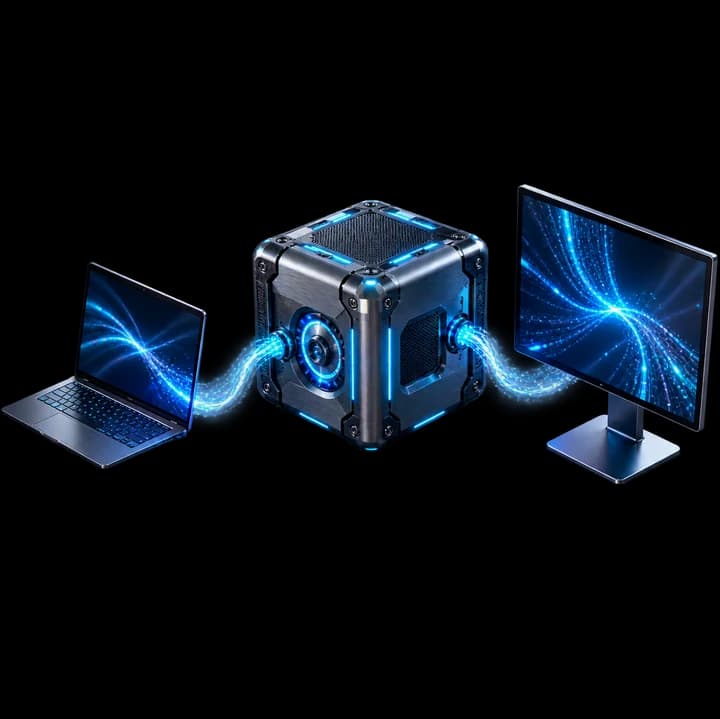
Write it once, ship it to every desk
The application logic, the interface and the data layer are written once. The build pipeline then produces a native installer for each platform, so a change made on Monday reaches Mac and Windows users in the same release rather than in two separately maintained products.
- Universal macOS binaries covering both Apple Silicon and Intel machines
- Windows installers as .exe or .msi, ready for Group Policy or Intune rollout
- The same interface and shortcuts on both platforms, with per-platform conventions respected
- Shared code with your web app where it makes sense, so business rules live in one place
How we work
From scope to a signed release
Every stage ends with something you can run, not something you have to imagine.
Scope and platform decisions
We work out what actually has to be a desktop app, which platforms and OS versions you must support, and what the app needs from the machine it runs on. This is where the awkward questions get asked, while they are still cheap.
Architecture and data layer
Desktop apps live or die on process boundaries. We design the split between the main process and the interface, define how they talk, and decide where data lives locally and how it reaches your existing systems.
Build in two-week increments
Every increment ends with an installable build for both platforms, not a screenshot. You run it on a real machine and tell us what is wrong while it is still easy to change.
Sign, notarize and package
Installers are produced and signed for each platform, notarized where macOS requires it, and tested on clean machines: a signing problem only shows up on a computer that has never seen the app before.
Release, update and support
The app ships with an update channel already working. New versions reach users quietly, crashes come back to us with a stack trace, and a bad release can be rolled back rather than reinstalled by hand.
Included as standard
What ships with every build
These are the items desktop projects usually discover late and pay for twice. They are part of the quote, not a change request.
Signed macOS build
A notarized .dmg or .pkg that installs without a Gatekeeper warning.
Signed Windows installer
An Authenticode-signed .exe or .msi that SmartScreen accepts.
Working update channel
Auto-update wired up and proven before launch, not promised for later.
Crash and error reporting
Stack traces reach us with the app version and platform attached.
Offline-capable data layer
Local storage and a sync rule, so a dropped connection is not an outage.
Icons and installer branding
Platform-correct app icons, installer artwork and window chrome.
CI that builds both platforms
One pipeline producing Mac and Windows artefacts from a single commit.
Release notes and rollback
A documented release, and a tested way back if a version misbehaves.
The stack
What we build it with
Deliberately close to our web stack. It means the same engineers can move between your web app and your desktop app, and that you are not hiring a separate specialist to maintain it later.
Application shell
The runtime the app is built on
 Electron
 Node.jsNative modules
Interface
The same stack as our web work
 React
React TypeScript
 Tailwind CSS
 Vite
ViteLocal data
What keeps the app usable offline
 SQLiteIndexedDB
 PrismaEncrypted storage
Packaging and signing
How a build becomes an installer
 macOS
macOS Windowselectron-builderAuthenticode
Delivery and monitoring
How updates and crashes reach us
electron-updater GitHub Actions
 SentryStaged rollout
Good candidates
Where a desktop app earns its keep
The kinds of software where the desktop is the right home, rather than a preference.
Internal operations consoles
Tools your own team lives in all day, where a browser tab that reloads and loses state is a daily cost.
Trading and market tools
Low-latency dashboards, multi-window layouts and alerting that has to keep running in the background.
Media and file processing
Apps that read, convert or batch-process large local files without uploading them anywhere first.
Point of sale and kiosk
Fixed-purpose machines with receipt printers, scanners and card readers that must work when the internet does not.
Engineering and lab tools
Software that talks to instruments over USB or serial and stores results on the machine.
Data-heavy desktop clients
Large local datasets that would be slow, expensive or unwise to push through a browser.
Questions
Before you commit to a desktop build
The things worth settling before anyone writes code.
Because most projects want one product on two platforms, not two products. Electron lets a single team build both from one codebase using the same React and TypeScript your web app uses, which usually means a lower build cost and a much lower cost to maintain. If a project genuinely needs native performance in a specific area, we can drop to a native module for that part rather than rewriting the whole app.
They do when they are built carelessly. The usual causes are doing heavy work on the interface thread, holding too much in memory and shipping an unoptimised bundle. We keep expensive work in the main process or a worker, use a local database rather than in-memory arrays, and measure startup and memory as part of the build rather than after complaints arrive.
Yes, and this is one of the strongest reasons to choose desktop. The app keeps its own local database, so it stays fully usable offline and reconciles with the server once a connection returns. We agree the conflict rules with you before building, because that decision belongs to your business, not to us.
Through an update channel that is part of the first release. The app checks for a new version, downloads it in the background and applies it on restart, without anyone downloading an installer again. Releases can be rolled out to a subset of users first, and a bad version can be pulled back.
Yes. We set up the signing pipeline for both platforms and test the installers on clean machines. The certificates themselves stay in your name: an Apple Developer account and a Windows code signing certificate belong to your company, and we work with your credentials rather than holding them.
Often, yes. If your product is already React, a large share of the interface and business logic can move across, and the desktop work concentrates on what the browser could not do: local files, background processes, hardware and offline storage. We start by reviewing what you have and telling you honestly how much is reusable.
Start here
Tell us what the browser is stopping you doing
Send a short description of the problem and we will come back with an honest answer about whether it needs a desktop app at all, and what building it would involve.
- A reply within one business day
- A view on macOS, Windows or both, and why
- A straight answer if a web app would serve you better